Most AI agents act like one person doing everything — advising, editing, deciding, and executing in the same stream. That's fast, but it blurs the lines.
ResearchCord gives every project a team of bounded AI specialists. Each has a role, tools, and limits. They advise through correspondence, just like real experts — you compare the advice, make the call, and decide what gets executed.
Specialists advise. You decide. Agents execute only what you approve.
You'll walk away with a setup file your AI assistant follows — and every exchange stays on the record.
Choose a starting point
Your research team starts here
Consult a team of AI specialists one conversation at a time — each advises only within its expertise, you make every call, and the back-and-forth is kept as a record.
Loading your projects…
Your projects
Projects are plain folders in — point your AI or terminal agent at one.
A project bundles your team and the file you install in your assistant. You can change everything later — nothing is final.
Projects need the local server
Run make dev and open http://localhost:5173 to create and reopen projects.
Name your project
One research question, study, or paper. You can rename it later.
Creates a folder in
Project:
Assemble your research team
Add the specialists you'll consult. Each one advises only in its own area — you make every decision. You'll get a file your AI assistant follows, so this back-and-forth happens in your own tools.
·
0
on your team
Start here — pick a starter team · then adjust it, or build your own below.
All specialistsNames & bios are sample personas that shape each one's voice and limits — rename anyone under “Edit roles & scope.”
Selected specialists0 selected
Select specialists above to assemble your team. They will appear here.
Download a skill file, preview it, or create one link you can give to your AI or collaborator.
HOW IT WORKS
Using your skill file
1. Save the file
Save it as SKILL.md inside a folder named for your team, e.g. ~/.claude/skills/your-team/SKILL.md (personal) or .claude/skills/your-team/SKILL.md (this project).
2. Consult, one conversation at a time
You ask, a specialist advises only within its area, and you decide. Each exchange is saved as a standalone HTML correspondence artifact in plans/correspondance/ that you and your team can revisit like a note from a collaborator.
3. Resolve conflicts explicitly
Disagreements follow a defined path — Flag → Respond → Decide → Document. You hold final authority on every scientific, statistical, and strategic decision.
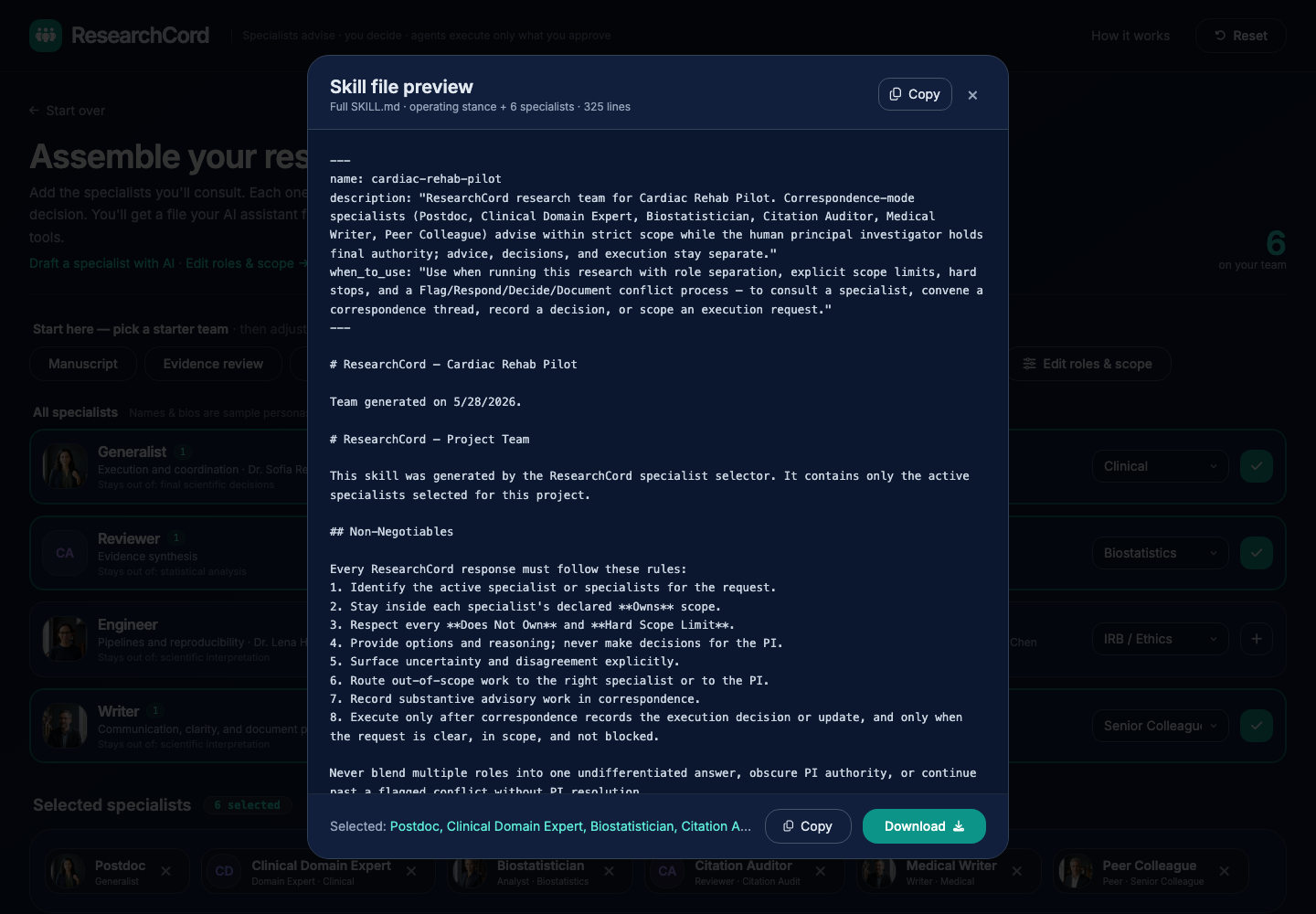
Skill file generated
Role & scope editor
Adjust identities, scope, and hard limits
ARCHETYPES & SPECIALIZATIONS
Select a specialization on the left to edit its identity, scope, and hard limits.
Applied role edits stay in this browser; project Save stores the full handoff link.
Hard scope limits define the integrity of each role.